

Deal Lifecycle
Deal Lifecycle Management
Deal lifecycle management describes how a Brand+ deal is created, activated, paused, resumed, monitored, and maintained in the Deal Portal.
A deal moves through three main statuses: INITIAL, RUNNING, and PAUSED.
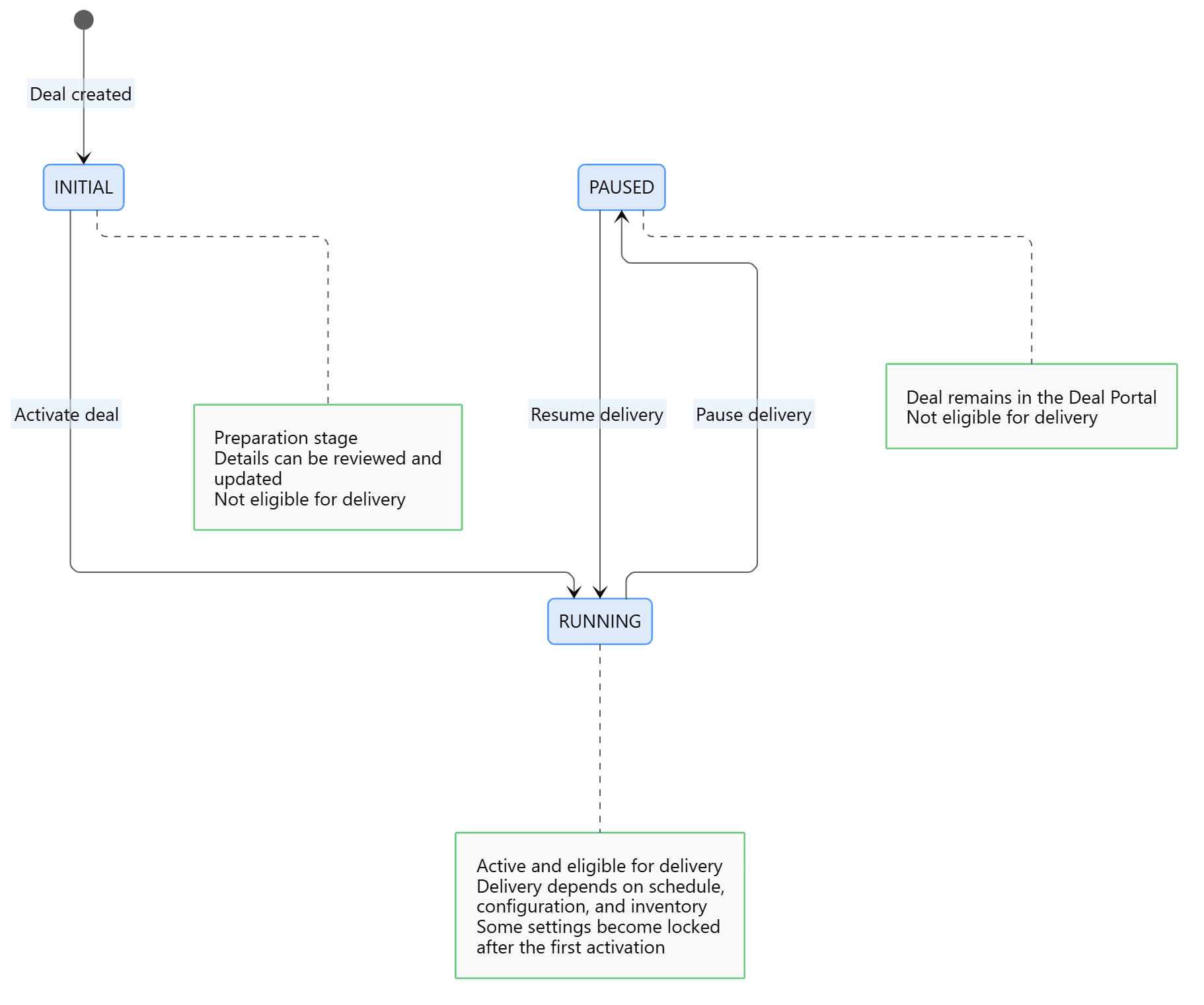
Deal Life Cycle
INITIAL
A newly created deal is in the INITIAL status by default. This status represents the preparation stage.
While the deal is INITIAL, you can review and update its details, including its schedule, pricing, buyer information, and targeting criteria.
The deal is not active or eligible for delivery in this status.
A deal that remains in the
INITIALstatus is automatically removed after one day.
RUNNING
A deal in the RUNNING status is active and eligible for delivery according to its configuration, schedule, and available inventory.
After a deal reaches RUNNING for the first time, certain deal settings can no longer be changed.
A running deal can be moved to PAUSED when delivery needs to be temporarily stopped.
PAUSED
A deal in the PAUSED status remains available in the Deal Portal but is not eligible for delivery.
Move the deal back to RUNNING when it is ready to resume delivery.
Manage the Deal
Throughout its lifecycle, you can use the Deals Library to:
- Search for a deal.
- View its details and current status.
- Edit eligible deal settings.
- Pause or resume the deal.
- Clone an existing deal.
- Review its change history.
- Monitor its delivery and performance.
The available actions may depend on the deal’s current status and your permissions.
Status Flow
INITIAL → RUNNING ↔ PAUSED
A deal can also move directly from INITIAL to PAUSED.
After a deal reaches
RUNNINGorPAUSED, it cannot return to theINITIALstatus.
Updated about 2 hours ago