

Ad Formats and Device Types
Deal's Ad Formats and Device Types Workflow
Set the Ad Format, Device Type, and Ad Size parameters in the Deal Portal by following the steps below. The Data Dictionary for Deal's Ad Formats and Device Types describes each field in detail.
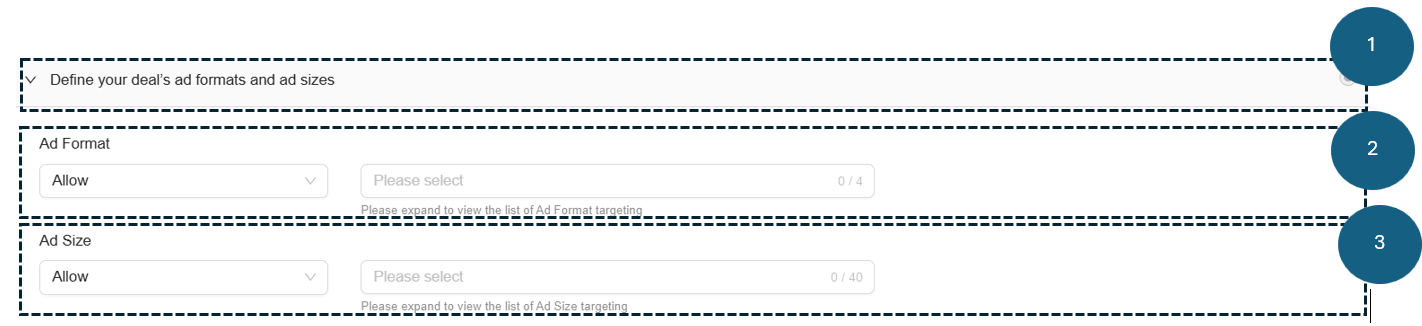
Follow these steps to configure your deal's ad format and device type targeting:
1. Define your Deal's Ad Formats and Device Types
- Expand the Define your Deal's Ad Formats and Device Types section to target your ad campaign by ad format, device type, and ad size.
- Once expanded, configure the Ad Format and Ad Size options described in the following steps.
2. Ad Format
- Select the Allow or Block option from the Ad Formats dropdown menu. The default is Allow.
- Allow: Include the selected ad formats in your deal targeting.
- Block: Exclude the selected ad formats from your deal targeting.
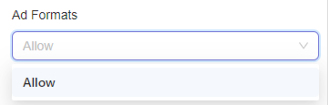
- Select one or more Ad Formats from the dropdown list:
- Video
- Banner
- Native
- Rewarded Video (Only applicable to in-app B+ traffic)

- You can also combine Video, Banner, or Native with Rewarded Video if needed.
Notes on Rewarded Video Targeting:
- ✅ Video is supported on Mobile, Web, and CTV environments, depending on deal settings; no inventory types are excluded by default.
- ✅ Rewarded Video can be selected independently of other formats.
- ⚠️ Selecting Video will also include Rewarded Video in targeting.
- ⚠️ Selecting Rewarded Video will not include Video.
- ❌ Blocking Rewarded Video will not block Video.
- ⚠️ Blocking Video will also block Rewarded Video.
-
The portal automatically saves your selections. Only ad requests matching the selected formats pass to DSPs.
-
Remove selected ad formats as needed:
- Click the x icon next to an ad format to remove it.
- Click Remove All at the bottom of the dropdown list to clear all selections.
-
After configuring ad formats, proceed to set the Ad Size below.
3. Ad Size
- Select the Allow or Block option from the Ad Size dropdown. The default is Allow.
- Allow: Display ads in the selected ad sizes.
- Block: Prevent ads from displaying in the selected ad sizes.
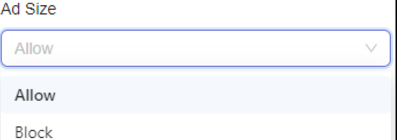
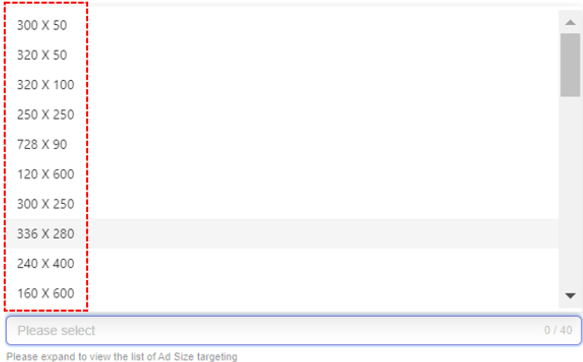
- Select one or more Ad Size options from the dropdown list. Your deal will only pass to DSPs for requests matching the selected sizes:
-
The portal automatically saves your selections.
-
Remove selected ad sizes as needed:
- Click the x next to an ad size to remove it.
- Click Remove All at the bottom of the selection box to clear all selections.

Updated about 1 month ago
What’s Next
Did this page help you?