

Clone a Deal
Overview
Cloning allows you to create a new deal by reusing the configuration of an existing deal. This can save time when creating deals with similar settings.
From the My Deals page, you can clone an individual deal or multiple deals at once.
When cloning an individual deal, you can:
- Create a copy using the original deal settings.
- Modify the deal settings before creating the copy.
Cloning a Deal
To clone a single deal, follow these steps:
Follow the initial step mentioned from point no 1 to 2 in Cloning Multiple Deals to filter the deal.
- Select a deal from the deal list you wish to clone.

Select specific deal for clone
- After selecting deal, click on the
 icon.

To clone a deal
- If you choose Clone The Deal, the deal will be duplicated with the original settings, and you will see a confirmation message

Clone deal options
- If you choose Modify Settings Before Cloning, make any necessary adjustments to the Deal Settings page.

Make changes to Deal Settings page
- The new cloned deal will be created and displayed in the My Deals section with the updated or identical settings, depending on your choice.
Cloning Multiple Deals
To clone multiple deals, follow these steps:
- From the Deal Filter dropdown, choose one of the filter options: All, Running, or Paused.
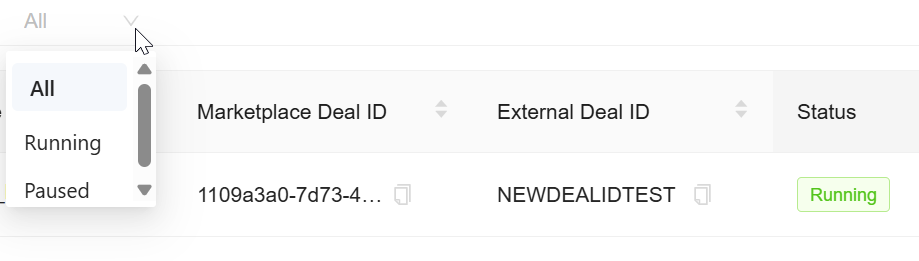
To filter deal by status_
- The page displays the deals based on the selected status.

Display deal by status
- Click Select All to select all deals displayed in the list, or manually select individual deals by clicking the checkboxes next to each deal name.
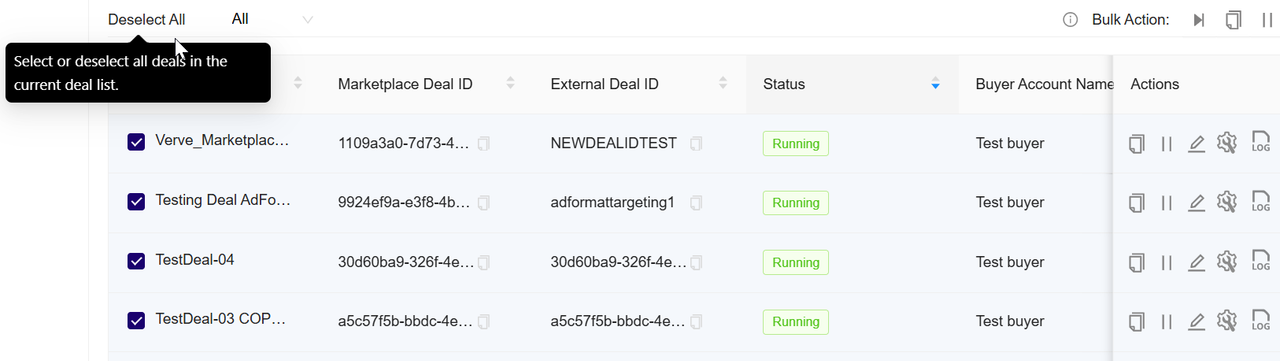
Deal selection
- In the Actions option, click the
 icon.

To clone selected deals
- A confirmation dialog opens, displaying the selected deals.
- In the confirmation dialog, review the names and Deal IDs of the selected deals (for example, Test2 COPY COPY, Test2 COPY, abc COPY COPY, etc.).

To confirm multiple clone deals
- Click Confirm to clone the selected deals.
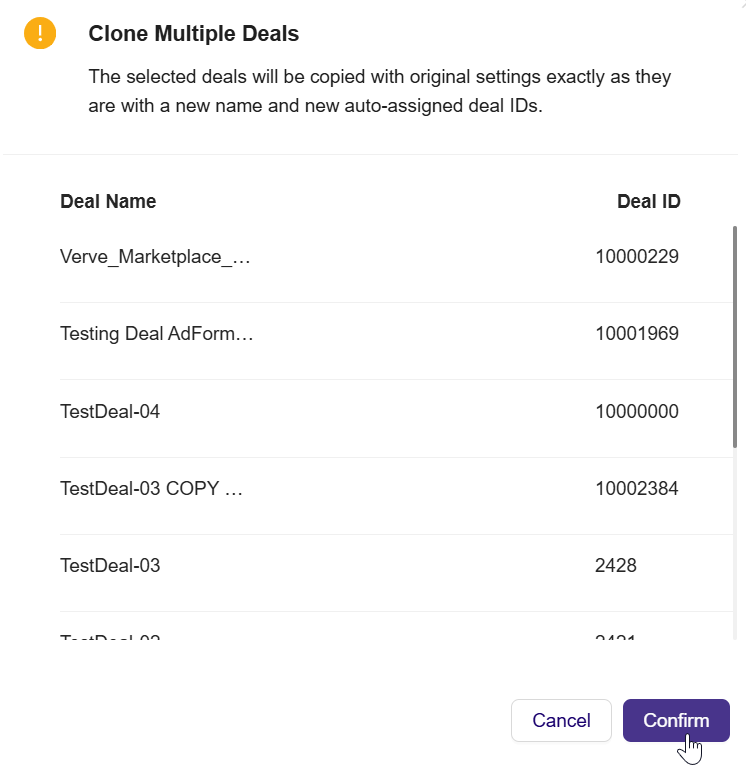
To confirm multiple clone deals
- The Deal Portal creates exact copies using the original settings, Each cloned deal receives a new deal name and a new Deal ID.

Create multiple clone deals
- The cloned deals appear on the My Deals page, and you can manage them as needed.
Updated 3 months ago